
ON BROWSER 3D VIEWER
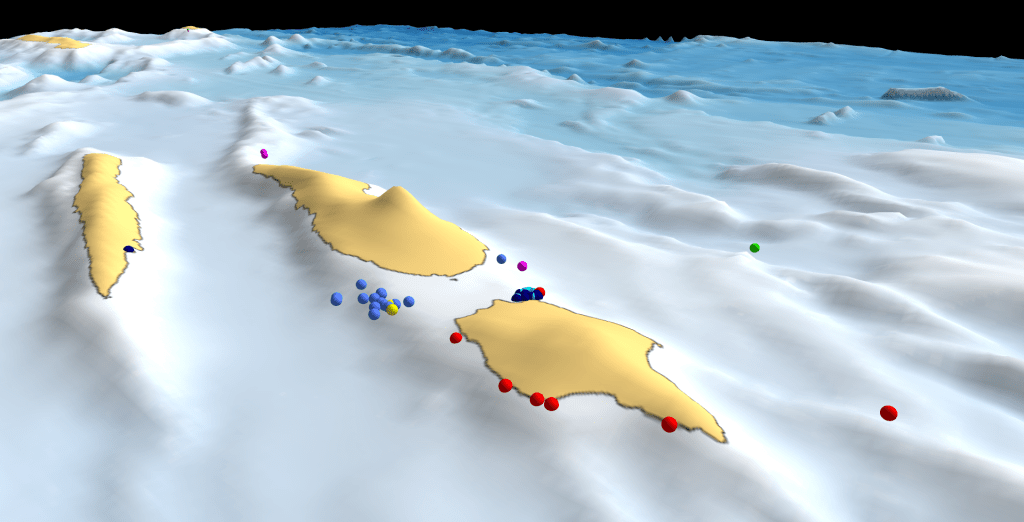
Click on the link below to download a small zipped folder which includes an interactive 3D viewer to be opened online or offline through your internet browser (Google Chrome recommended).
Two (2) different models are available bellow.
1 – This 3D model includes all the elasmobranch (sharks & rays) species registered through our pilot mobile app ‘Consharkvation_Azores’ for the 2022 season. The general view includes the position of the sighting but also a measure of the number of individuals, giving different sizes for the sighting icons depending on the number of individuals.
https://consharkvation.org/wp-content/uploads/2023/03/general-view-1.zip
2 – This second 3D model includes all the elasmobranch (sharks & rays) species registered through our pilot mobile app ‘Consharkvation_Azores’ for the 2022 season but only the location of the sightings not descriminating the amount of animals.
https://consharkvation.org/wp-content/uploads/2023/03/central_group.zip
Instructions:
1 – Click on any of the links above to start the download of the zipped folder.
2 – Unzip the chosen folder to any location on your hard drive.
3 – Open the unzipped folder and select the ‘general_view.html’ or ‘central_group.html’ file, which shall open automatically with your internet browser.
4 – Click ‘R‘ key to stop the orbital animation, or pause the animation using the right top menu, >animation, >pause.
5 – Start interacting with the 3D model using your mouse or keyboard.
7 – For more information on how to interact with the model click ‘Help’
8 – On the tab ‘layers‘ you can select in or out different layers (i.e. spots, species) and control their opacity to enhance your experience depending on your interest.
9 – Notice that is possible to create an orbital animation around any given selected point on the map: >double click on point of interest >click ‘orbit‘ button.
10 – Example: change layer oppacity of the ‘spot’ layer to dim out the labels oppacity. Deselect all species and leave a single species (i.e. Hammerhead sharks) to visualize a single species on the map.
 CONSHARKVATION.ORG